





























































Logging into your SpinAUD account should be as easy as a Sunday arvo BBQ. Whether you’re here for a few cheeky spins or you’re chasing a big jackpot, this SpinAUD Login guide walks you through every step of the login process without the tech jargon. We’ve also thrown in some handy tips for sorting common hiccups, just in case things go sideways.
You’ve already signed up and created your account. Now let’s get you back in so you can play your favourite pokies. Here’s how you log in to SpinAUD:
Open your browser and go to SpinAUD official website. Make sure you’re on the official site and we use secure encryption to keep your details safe.
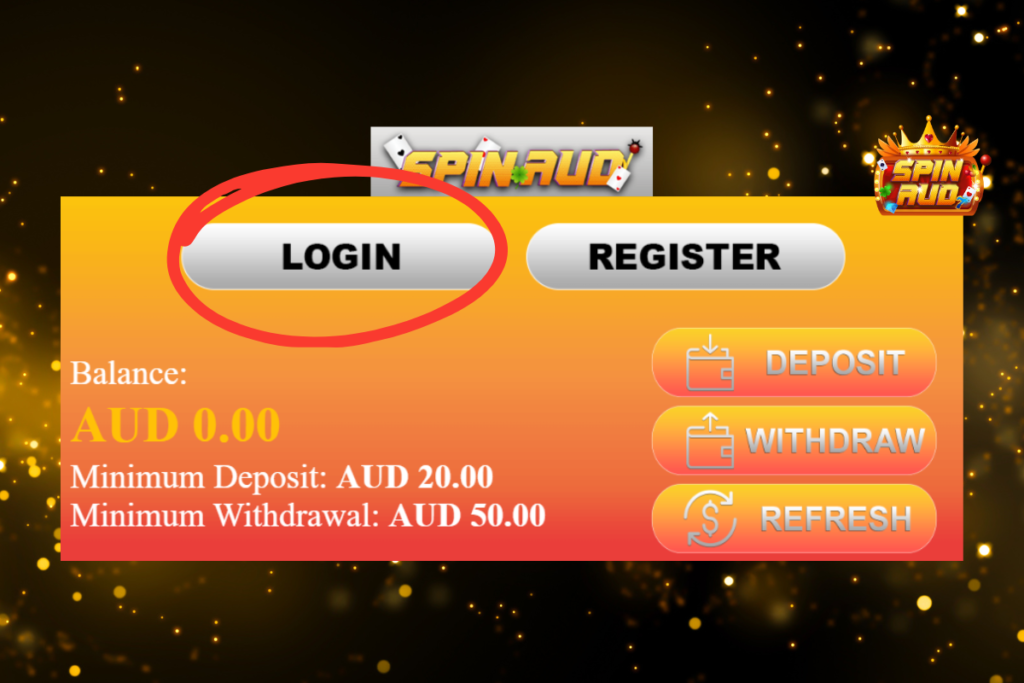
You’ll find the “Login” button in the top-right corner. Click it, and a login window will pop up.
Pop in your registered email address and password. If you’ve ticked “Remember Me” before, your info might already be filled in.
Hit the login button, and you’ll be redirected to your account dashboard. From there, you can deposit, play, withdraw, and claim any promos on offer.
It happens to the best of us, you’re keen for a spin, but the password’s slipped your mind. Don’t stress. Here’s how to reset it:
If the reset email doesn’t land in your inbox after a few minutes, double-check your spam or junk folder. Still nothing? Reach out to support and we’ll help out. If resetting your password doesn’t fix the issue, the Trouble Logging In? Quick Fix for SpinAUD Login Issues guide walks you through the most common login problems players face.
If you’re logging in from a new device, browser, or location, we might ask for a quick extra step and just to make sure it’s really you. This could be an email confirmation or a security code sent to your inbox.
It’s all part of keeping your account secure. Better safe than sorry, right?

We want logging in to SpinAUD to be effortless every time. Whether you’re firing up your laptop or tapping in from your mobile, following a few simple practices can keep your SpinAUD login experience stress-free and secure. Here’s what we recommend:
1. Create a Strong and Memorable Password
Your password is your first line of defence, so make sure it’s a strong one. Use a mix of uppercase and lowercase letters, numbers, and symbols. Avoid obvious choices like “password123” or your pet’s name. Cyber crooks love guessing the easy stuff.
To help you remember it without writing it down, try creating a passphrase made of unrelated words, like “KoalaCanoe!47Sun”. You’ll have a better chance of recalling it, and it’ll be harder for anyone to crack.
2. Use Trusted Devices
Stick to logging in from devices you know and trust. If you’re on a public or shared computer like one at work or a library, it’s best to log out completely after every session and avoid saving your details. On your personal phone or laptop? It’s fine to let your browser remember your login just make sure the device is password-protected too.
3. Enable Auto-Fill on Private Devices
If you’re the only one using your device, enabling your browser’s auto-fill or password manager can save time and reduce login mistakes. Many Aussies use services like Google Password Manager, Apple Keychain, or LastPass to keep login info secure and accessible.
4. Watch for Typos and Caps Lock
It’s easy to miss a letter or accidentally leave Caps Lock on. If you’re sure your password’s right but it’s not working, double-check that you’re typing everything correctly, including upper- and lowercase letters.
5. Keep Your Browser and Device Updated
Older versions of browsers or operating systems might not play nice with certain website functions. Always run the latest version of Chrome, Firefox, Safari, or Edge, and keep your phone or PC up to date to avoid compatibility issues when logging in.
Whether you’re on the couch, at the pub, or on the go, SpinAUD is fully mobile-friendly. Logging in on your phone or tablet is just as easy as on desktop:
We’re also working on a mobile app, so you’ll soon be able to log in and play with just a couple of taps. If you’re mainly playing on mobile, the SpinAUD Mobile Pokies: Play Anywhere in Australia with Real Money guide shows how to get the fastest login and gameplay performance on smartphones.
If something’s not working right, here’s what you can check before calling in the cavalry:
1. Double-check your login details
Make sure your email address is the one you registered with, and there are no sneaky typos in your password.
2. Try a different browser or device
Sometimes browser extensions or settings get in the way. Try logging in on another device or browser to rule that out.
3. Clear your cache
Tech can get cranky. Clearing your browser’s cache or refreshing the page can often do the trick.
4. Reset your password
Still stuck? Do a password reset using the “Forgot Password” link and follow the steps.
If all else fails, can check out the SpinAUD FAQ support hub, or our friendly SpinAUD customer support team is available 24/7 via live chat or email. We’ll help you get sorted in no time.

Finished spinning for the day? Make sure to log out especially if you’re on a public or shared device. Just head to your profile menu and click Logout. Easy as.
This simple habit helps keep your account secure and your balance safe from sticky fingers.
At SpinAUD, we take security seriously. All login activity is encrypted and monitored. We use advanced firewall tech, login protection tools, and fraud detection systems to make sure only you can access your account.
If we spot something odd like someone trying to log in from overseas, we’ll flag it and may temporarily lock your account until you confirm it’s you.
Security might not sound exciting, but it’s what keeps your fun worry-free. For a broader overview of how SpinAUD protects your funds and data across the platform, the Safe, Fast, Fair: Why SpinAUD Withdrawal Options Are a Game-Changer article gives a clear look at our security standards.
1. What should I do if I forgot my login email?
If you can’t remember which email you used, contact our support team. We’ll ask a few questions to verify your identity and help you recover your account securely.
2. Can I stay logged in all the time?
Yes, if you’re on a private device, tick the “Remember Me” box when logging in. Just don’t do this on public or shared devices for security reasons.
3. Why am I being asked to verify my login?
We sometimes request verification when you’re logging in from a new device or unusual location. It’s a security step to protect your account from unauthorised access.
4. I entered the right password, but I still can’t log in—what now?
It could be a browser issue, network glitch, or cache problem. Try clearing your cache, switching browsers, or resetting your password. If that fails, our support team can help.
5. Is it safe to log in on mobile?
Absolutely. Our site is fully optimised for mobile and uses the same bank-level encryption as desktop. Just make sure you’re on the real SpinAUD site and not using public Wi-Fi.